How to Remove the Nano Banana Pro Watermark: Free & Instant 2026 Guide
How to Remove the Nano Banana Pro Watermark: Free & Instant 2026 Guide
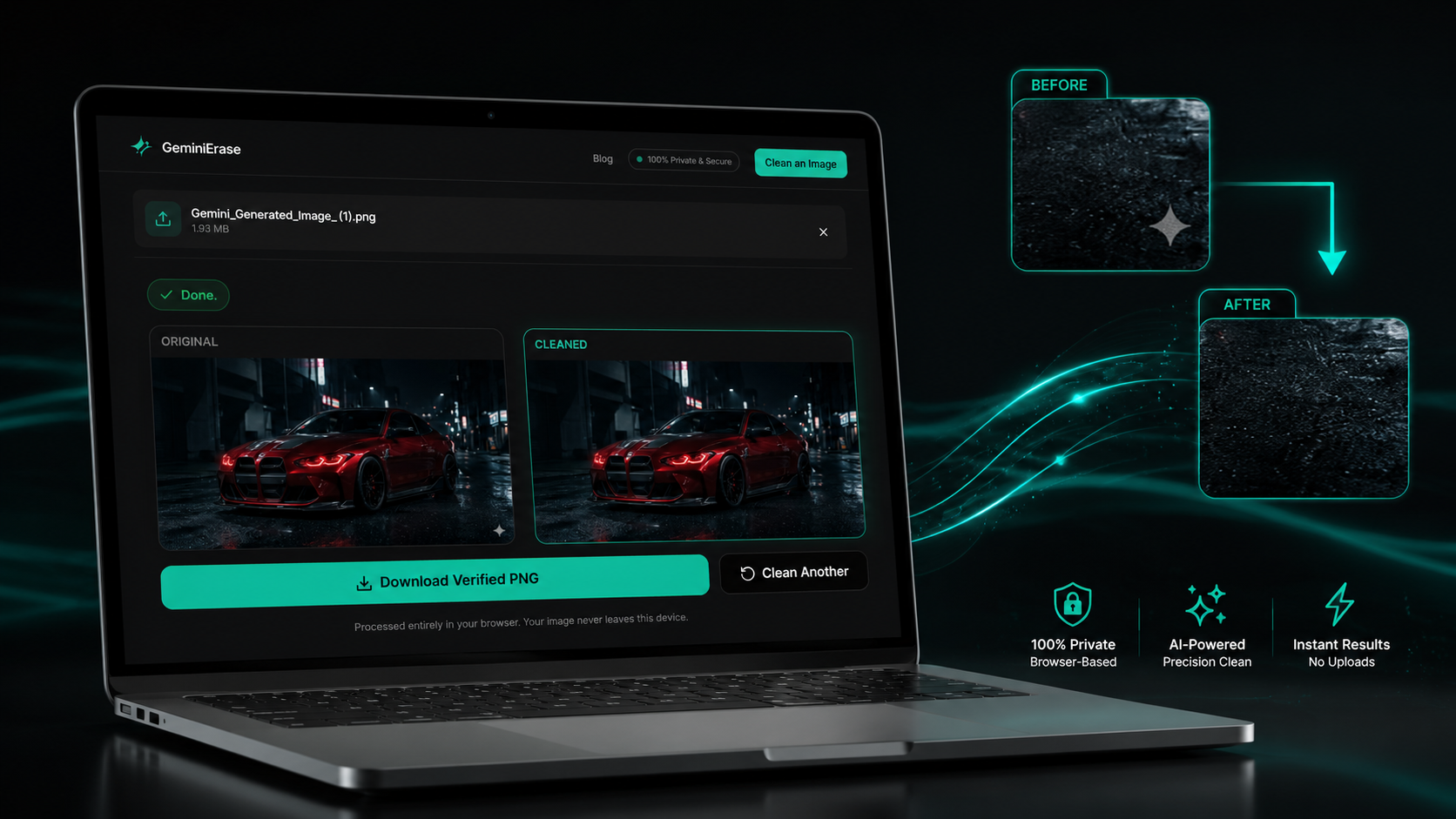
To remove Nano Banana Pro watermark marks, upload the original Gemini 3 Pro Image file to GeminiErase, where the visible Gemini sparkle is detected and reversed locally in your browser. GeminiErase uses deterministic reverse alpha blending, not AI inpainting, so your image is cleaned in under 2 milliseconds without server uploads, signup, or quality loss.
Nano Banana Pro, also called Gemini 3 Pro Image, produces higher-fidelity AI images than the original Nano Banana model. That extra quality makes the visible Gemini sparkle more noticeable, especially on clean product shots, UI mockups, posters, thumbnails, and 2K or 4K exports.
GeminiErase is built for that exact problem. It removes the visible four-pointed Gemini watermark from supported Gemini images while keeping the underlying image data intact. The tool does not remove SynthID, Google's invisible forensic watermark, and it does not process non-Gemini watermarks such as stock photo logos or brand overlays.
For best results in 2026, use the original PNG or high-quality WebP exported from Gemini, Google AI Studio, Flow, or another supported Google image workflow. Avoid screenshots and heavily compressed JPEG files when possible, because compression can slightly damage the pixel data GeminiErase uses for mathematical restoration.
What Is Nano Banana Pro? (Gemini 3 Pro Image Explained)
Nano Banana Pro is Google's advanced Gemini image generation and editing model built on Gemini 3 Pro. It is designed for higher-fidelity visuals, stronger reasoning, clearer text rendering, better subject consistency, and more controlled creative editing than the original Nano Banana model, which was based on Gemini 2.5 Flash Image.
The important point for creators is simple: Nano Banana Pro improves the image model, not the visible watermark policy. You can generate sharper visuals, cleaner product compositions, multilingual posters, mockups, diagrams, character scenes, and more realistic edits, but most consumer exports still carry the visible Gemini sparkle.
Google positions Nano Banana Pro as a model for complex image work. That means it is not only responding to a prompt, but also using Gemini 3 Pro's reasoning layer to understand layout, factual context, text placement, camera direction, editing intent, and visual consistency.
For a broader explanation of the visible mark itself, read what the Gemini watermark is. This section focuses only on Nano Banana Pro as the newer image model and why its outputs created a new search demand for dedicated watermark cleanup.
The Upgrade from Nano Banana (2.5 Flash) to Nano Banana Pro (3 Pro)
The original Nano Banana model became popular because it made Gemini image editing faster, more conversational, and more accessible. It was useful for everyday image generation, simple edits, visual ideation, and creator workflows where speed mattered more than production-level control.
Nano Banana Pro moves that workflow into a more capable model family. Instead of leaning mainly on the Gemini 2.5 Flash Image generation path, Nano Banana Pro is built on Gemini 3 Pro Image. That matters because the model can handle more demanding prompts, richer scene instructions, and more structured image tasks.
For example, a basic Nano Banana prompt might create a product image. Nano Banana Pro is better suited for asking that same product to appear in a specific lighting setup, with readable label text, consistent branding, realistic packaging, and a cleaner commercial layout.
That is why the search phrase "remove Nano Banana Pro watermark" exists separately from the older Nano Banana topic. Users are no longer cleaning only casual AI images. They are cleaning higher-resolution visuals intended for presentations, ads, ecommerce mockups, social campaigns, thumbnails, and client-facing drafts.
The older guide on how to remove the Nano Banana watermark still applies to original Gemini 2.5 Flash Image outputs. This guide targets the newer Pro model specifically.
Physics-Accurate Rendering, Character Consistency, and 4K Upscaling
Nano Banana Pro is most useful when visual accuracy matters. It can produce more believable lighting, stronger object relationships, cleaner typography, and more consistent subjects across variations. Those improvements make it better for professional image tasks where small defects stand out.
Character consistency is one of the practical upgrades. If you are building a campaign, comic panel, brand mascot, product scene, or influencer-style visual, you need the subject to remain recognizable across edits. A model that changes facial structure, outfit details, or object geometry between versions creates extra cleanup work.
Higher-resolution output also changes the watermark problem. On a small preview, the Gemini sparkle may feel like a minor mark. On a polished 2K or 4K export, it becomes more visible because the surrounding image is cleaner, sharper, and more suitable for publication.
That is where a mathematical cleaner matters. AI inpainting can blur texture, invent pixels, or soften fine details near the watermark. A Nano Banana Pro image cleaner should preserve the model's high-resolution output rather than replacing part of it with a guessed patch.
Where Nano Banana Pro Is Available
Nano Banana Pro is available across Google's image generation ecosystem, including consumer and developer workflows. Users may encounter it in the Gemini app, Google AI Studio, Gemini API workflows, Vertex AI, and other Google products that expose Gemini image generation.
For everyday creators, the Gemini app is usually the simplest entry point. You type a prompt, generate an image, edit it conversationally, and download the result. For developers, Google AI Studio and the Gemini API provide a more structured environment for testing prompts, integrating image generation into apps, and building repeatable workflows.
Vertex AI is the enterprise route. Teams can use Gemini 3 Pro Image inside controlled cloud projects with billing, governance, and deployment settings. That matters for companies building internal creative tools, marketing automation, product visualization systems, or AI-assisted design pipelines.
The watermark experience can differ by access tier and export path, but the visible Gemini sparkle remains a common issue for Free and Google AI Pro users. That is why Nano Banana Pro watermark remover searches are rising among creators who want a clean visual file without changing the underlying image.
Does Nano Banana Pro Still Add the Sparkle Watermark?
Yes. Nano Banana Pro still adds the visible Gemini sparkle watermark for Free and Google AI Pro tier users. According to Google's Nano Banana Pro announcement, the visible watermark is removed only for Google AI Ultra subscribers and images generated inside the Google AI Studio developer tool.
That policy matters because Nano Banana Pro is often used for professional-looking visuals. A creator may generate a polished product hero image, a YouTube thumbnail, a pitch deck visual, or a social ad, then notice the Gemini sparkle sitting in the bottom-right corner.
The watermark is not a quality issue in the model itself. It is an output-layer transparency marker added after generation to show that the image was created or edited with Google AI. GeminiErase targets that visible layer only. It does not change the broader provenance system behind the file.
For a deeper explanation of the two systems, read Gemini watermark vs SynthID. The short version is that the sparkle is visible to humans, while SynthID is designed for machine-readable AI detection.
Google's Official Policy for Free and Pro Tier Users
Google's stated Nano Banana Pro policy keeps the visible Gemini sparkle on images generated by Free and Google AI Pro tier users. That means paying for Google AI Pro does not automatically give you a clean visual export.
This is the detail many users miss. They upgrade from a free Gemini workflow to a paid Pro plan expecting better image quality, larger generation limits, and more advanced model access. They get those benefits, but the visible watermark can still remain on generated images.
Google describes this as part of its AI transparency approach. The sparkle gives ordinary viewers a quick visual signal that the image came from Google AI, while invisible watermarking supports deeper verification through SynthID.
For creators, the practical result is clear: if your Nano Banana Pro image has the visible sparkle, you need a separate cleanup step before using it in a layout where the mark distracts from the design.
Who Gets Watermark-Free Output?
Google's Nano Banana Pro announcement identifies two main routes for visible watermark-free output: Google AI Ultra subscribers and images generated inside the Google AI Studio developer tool. Those routes are designed for professional and developer workflows where a clean visual canvas is more important.
That does not mean every Google-generated image becomes provenance-free. Google still uses SynthID across generated images, including Gemini image outputs. The visible sparkle and SynthID are separate systems with different purposes.
The Ultra route is aimed at high-end creative users. The Google AI Studio route is aimed at developers testing and building image workflows. A marketer using the standard Gemini app on Free or Pro access may still see the sparkle, even when the image itself was produced by Nano Banana Pro.
This distinction is why a Nano Banana Pro watermark remover is useful for everyday users. GeminiErase gives you a browser-based way to clean the visible mark without uploading the file to a third-party server or asking another AI model to repaint the image.
The Dual-Layer System: Visible Sparkle and Invisible SynthID
Nano Banana Pro images can carry two different identification layers: the visible Gemini sparkle and the invisible SynthID watermark. The sparkle is the small four-pointed mark you can see. SynthID is an imperceptible signal embedded into AI-generated media for detection and verification.
Google DeepMind describes SynthID as a watermarking and identification technology for AI-generated content. In May 2026, Google said SynthID had been used to watermark over 100 billion images and videos, plus 60,000 years of audio.
That scale explains why SynthID is not treated like a decorative overlay. It is part of Google's broader content transparency system, not a small logo placed on top of an image.
GeminiErase removes only the visible sparkle layer. This is intentional. The tool is built to clean presentation quality by reversing the visible alpha-composited mark, not to interfere with forensic watermarking, provenance detection, or AI disclosure systems.
User Type | Visible Gemini Sparkle | SynthID | Watermark-Free Visual Output |
|---|---|---|---|
Free Gemini users | Yes | Yes | No |
Google AI Pro users | Yes | Yes | No |
Google AI Ultra subscribers | No visible sparkle, per Google's stated policy | Yes | Yes |
Google AI Studio developer tool users | No visible sparkle, per Google's stated policy | Yes | Yes |
Gemini API image generation | Usually no consumer sparkle overlay in developer workflows | Yes | Yes visually, but still SynthID-marked |
The Anatomy of the Nano Banana Pro Watermark: What's New vs Original
The Nano Banana Pro watermark is visually similar to the original Nano Banana sparkle, but the surrounding image context has changed. Gemini 3 Pro Image supports higher-resolution outputs and more flexible framing, so the watermark appears across more canvas sizes, aspect ratios, and professional use cases than before.
The visible mark is still the Gemini sparkle: a small four-pointed star placed as a composited overlay near the bottom-right edge of the output. It is not baked into the scene by the model as an object. It sits above the generated image as a transparency layer.
That distinction matters. If the sparkle were part of the generated scene, removing it would require inpainting, cropping, or manual retouching. Because it is an alpha-composited overlay, GeminiErase can identify the marked region and mathematically restore the background pixels beneath it.
Nano Banana Pro makes this more important because users are generating sharper files. A watermark that felt acceptable on a quick draft can look distracting on a polished 4K product visual, landing page hero, poster, thumbnail, or brand mockup.
Does the 48px vs 96px Logic Still Apply at 2K and 4K Resolutions?
Yes, the 48px and 96px detection logic still matters, but it should be understood as template detection rather than a fixed assumption about every image. GeminiErase scans for known Gemini sparkle blocks using a Normalized Cross-Correlation pyramid, which checks the image at multiple scales and positions.
Normalized Cross-Correlation, or NCC, compares a known watermark pattern against candidate regions in the image. Instead of guessing where the mark is, the scanner measures how closely each region matches the expected sparkle structure.
That is why higher resolution does not break detection. A 4K image has more pixels, but the watermark still follows a recognizable visual profile. GeminiErase searches for both common block sizes, including 48×48 and 96×96 regions, then confirms the match before cleanup.
The practical benefit is consistency. You do not need to manually crop the corner, select a brush, or guess the watermark size. The detection pipeline handles the location step before the pixel restoration begins.
How New Aspect Ratios Affect Watermark Placement
Nano Banana Pro supports a wider range of image formats than a simple square generator. Google Cloud documentation lists common output ratios such as 1:1, 3:2, 2:3, 3:4, 4:3, 4:5, 5:4, 9:16, 16:9, and 21:9.
That means the Gemini sparkle can appear on square posts, vertical reels, mobile wallpapers, wide banners, product ads, cinematic frames, and editorial compositions. The canvas changes, but the watermark remains anchored to the same visual logic.
Format Type | Common Ratios | Watermark Behavior |
|---|---|---|
Square | 1:1 | Bottom-right placement is usually straightforward |
Portrait | 2:3, 3:4, 4:5, 9:16 | Sparkle stays near the lower-right edge of the vertical canvas |
Landscape | 3:2, 4:3, 5:4, 16:9, 21:9 | Sparkle remains near the lower-right edge of the wide frame |
Aspect ratio affects distance, not intent. In a 9:16 image, the mark sits inside a tall mobile-style frame. In a 21:9 image, it sits inside a much wider cinematic frame. GeminiErase still treats it as the same target: a visible Gemini sparkle composited over the generated pixels.
This is why screenshots are less reliable than original exports. A screenshot can add browser UI scaling, compression, device pixel ratio changes, or extra margins. The original downloaded image gives the scanner a cleaner pixel structure to analyze.
Why the Sparkle Position Remains Bottom-Right Regardless of Resolution
The bottom-right position is useful because it keeps the mark visible without covering the center of the generated image. It also creates consistency across Gemini outputs, which helps users recognize the image as AI-generated without searching the whole canvas.
For watermark removal, consistent placement is also useful. GeminiErase does not need to inspect the entire image with equal probability. It can prioritize likely regions near the bottom-right while still using detection logic to confirm the actual sparkle block.
The position is not the only signal. GeminiErase looks for the watermark's shape, alpha profile, and pixel relationship to the background. This protects against false positives, such as a real star, logo, highlight, or decorative sparkle that happens to appear in the corner.
Resolution changes the number of pixels around the watermark, not the purpose of the mark. A 2K output and a 4K output may have different canvas dimensions, but the sparkle remains a visible overlay applied after image generation.
That is why the cleanup process can stay fast. Once the watermark block is found, GeminiErase works only on the affected region instead of reprocessing the full image as an AI editor would.
Step-by-Step: Remove the Nano Banana Pro Watermark with GeminiErase
To remove the Nano Banana Pro watermark, use the original downloaded image, load it into GeminiErase, let the scanner detect the visible sparkle, and download the cleaned file. The full process runs locally in your browser, so the image is not uploaded to a server or stored in an account.
The workflow is simple, but file choice matters. GeminiErase works best when it receives the cleanest available export from Gemini, Google AI Studio, or another Google image workflow. The closer the file is to the original generated output, the more accurately the watermark pixels can be reversed.
Download the Original PNG from Gemini App or AI Studio
Start by downloading the original image file, not a screenshot. Screenshots can add scaling artifacts, browser compression, device pixel ratio changes, and interface shadows around the image. Those extra changes make any pixel-level cleanup less reliable.
PNG is the preferred format because it preserves clean pixel data. High-quality WebP is also suitable. JPG can work, but heavy JPEG compression may slightly damage the watermark region before GeminiErase sees it.
That does not mean JPG always fails. It means the cleanup result depends on how much compression was applied before processing. If you care about the cleanest possible result, export the best available file before using any editor, compressor, CMS, or social media uploader.
Load Your Image into GeminiErase
Open GeminiErase and drag your Nano Banana Pro image into the tool. You can also choose the file manually from your device. GeminiErase supports PNG, JPG, and WebP files up to 15MB.
The word "upload" can be misleading here. GeminiErase reads the file inside your browser using local JavaScript processing. The image does not need to leave your device for the watermark cleanup to happen.
That privacy design matters for creators working with client visuals, product concepts, unpublished campaigns, personal images, or internal brand assets. You should not need to send a private image to a remote server just to remove a visible Gemini sparkle from the corner.
Let GeminiErase Detect the Sparkle Block Automatically
After the image is loaded, GeminiErase scans for the Gemini sparkle watermark automatically. You do not need to draw a selection box, paint over the logo, or manually crop the corner.
The scanner uses Normalized Cross-Correlation, also called NCC, to compare known Gemini sparkle patterns against likely regions in the image. It checks common watermark blocks such as 48×48 and 96×96 pixels, then chooses the strongest verified match.
This approach is safer than guessing. A bright star, jewelry highlight, UI icon, or product reflection can look sparkle-like to the human eye. GeminiErase checks the watermark structure itself before applying pixel restoration, which reduces the risk of editing the wrong part of the image.
Reverse Alpha Blending Restores the Original Pixels
Once the sparkle is detected, GeminiErase reverses the compositing equation used to place the visible watermark over the generated image. This is the core difference between GeminiErase and AI inpainting tools.
The watermark is an alpha-blended overlay. That means the visible pixel you see is a mixture of the original background pixel and the semi-transparent watermark pixel. GeminiErase solves that blend mathematically to recover the background value underneath.
For a deeper technical breakdown, read the guide on reverse alpha blending for the Gemini watermark. The important point is that GeminiErase is not inventing replacement pixels. It is reversing a known visual operation.
GeminiErase also uses Float32Array processing to avoid unnecessary rounding errors during restoration. That helps preserve fine gradients, edges, texture, and color transitions around the marked area.
Download the Cleaned PNG
After the reversal finishes, download the cleaned image. Processing typically completes in under 2 milliseconds because GeminiErase only works on the affected watermark block, not the entire image as a generative editor would.
The output is best used before social media compression, CMS resizing, or design export tools reduce the image quality. Clean the original first, then use the file wherever you need it.
Download the original Nano Banana Pro image.
Open GeminiErase.
Load the PNG, JPG, or WebP file into the browser tool.
Let GeminiErase detect the Gemini sparkle automatically.
Apply reverse alpha blending to restore the marked pixels.
Download the cleaned PNG for your design, post, mockup, or presentation.
Get a clean version of your Gemini 3 Pro Image without sending it to a server. Remove your Nano Banana Pro watermark with GeminiErase for free, with no signup, no account, and local browser processing in under 2 milliseconds.
Why Mathematical Reversal Works Better Than Gemini's Own Editing
Mathematical reversal works better because the Gemini sparkle is a semi-transparent overlay, not missing image content. GeminiErase reverses the alpha blend that placed the watermark on the image. AI editing tools try to repaint the area, which can change texture, edges, lighting, and fine detail.
This distinction is especially important for Nano Banana Pro images. The model can produce clean typography, polished surfaces, realistic product edges, and high-resolution textures. A poor cleanup method can damage the very quality that made the image useful in the first place.
GeminiErase does not ask another model to imagine what belongs under the sparkle. It uses the visible pixel value, the known watermark color, and the alpha transparency value to calculate the original background pixel.
Why Nano Banana Pro Refuses to Remove Its Own Watermark
Asking Nano Banana Pro to remove its own visible watermark is not a reliable workflow. The watermark exists because Google applies it as part of its AI transparency system for Free and Google AI Pro users. The model is not intended to help users bypass that visible marker from inside the same consumer workflow.
Some users report errors, blocked edits, or failed instructions when they ask Gemini to remove the sparkle directly. The exact message can vary by interface, model route, and safety layer, but the practical result is the same: Gemini is not a dependable Nano Banana Pro watermark remover.
Even when an edit appears to run, the result is still risky. A generative edit treats the watermark area as something to replace. That means it may redraw part of the image rather than restore the original pixels beneath the overlay.
For simple backgrounds, that may look acceptable at a glance. For product photography, UI mockups, brand visuals, diagrams, or text-heavy images, the damaged region can be obvious.
Why Inpainting Damages High-Resolution Image Data
Inpainting fills an unwanted region by predicting what should appear there based on surrounding pixels. That is useful when an object is genuinely part of an image and no recoverable background data exists. It is a weaker choice when the hidden pixels can be mathematically reconstructed.
A watermark overlay is not the same as a missing object. The original background information is still partially present in the composited pixel. Inpainting ignores that recoverable signal and creates a replacement patch.
That can introduce small but visible defects:
Softened edges around product lines, UI borders, or text
Slight color mismatch in gradients and shadows
Fake texture on skin, fabric, paper, glass, or metal
Repeated patterns that do not align with the original image
Blurry detail in high-frequency areas such as hair, typography, foliage, or packaging
These issues become easier to notice on 2K and 4K files. A low-resolution preview can hide a bad patch. A high-resolution export makes color shifts, edge halos, and texture inconsistency much easier to see.
Why Reverse Alpha Blending Preserves Pixel Integrity
Reverse alpha blending is better suited to the Gemini sparkle because it targets the actual way the watermark was applied. The visible pixel is a blend of two values: the original background pixel and the semi-transparent watermark pixel.
GeminiErase solves that relationship directly using the reverse compositing formula:
B = (C - (α × W)) / (1 - α)
In this formula, B is the restored background pixel, C is the visible composited pixel, α is the watermark transparency, and W is the watermark pixel value.
The benefit is precision. GeminiErase is not replacing the marked area with a guessed texture. It is calculating the most accurate version of the pixel that existed before the sparkle was applied.
Float32Array processing further improves the result by reducing rounding errors during calculation. That matters because browser Canvas operations often work with integer pixel values. If every channel is rounded too early, tiny color mistakes can build into visible artifacts.
Method | How It Works | Alters Image Content | Typical Weakness | Privacy |
|---|---|---|---|---|
Gemini self-editing | Asks the model to remove the mark | Yes | Often blocked or unreliable | Depends on Google workflow |
Manual retouching | Uses brush, clone, or patch tools | Yes | Slow and inconsistent | Depends on editor |
AI inpainting | Predicts replacement pixels | Yes | Texture and color artifacts | Often server-based |
GeminiErase | Reverses the watermark alpha blend | No generative repainting | Best with original PNG or WebP | Runs locally in browser |
This is why GeminiErase is purpose-built for the Gemini 3 sparkle watermark. It treats the mark as a reversible compositing problem, not as a creative editing task.
Does Removing the Sparkle Remove SynthID from Nano Banana Pro Images?
No. Removing the visible Gemini sparkle from a Nano Banana Pro image does not remove SynthID. The sparkle is a visible overlay placed on top of the image. SynthID is an imperceptible digital watermark embedded into AI-generated media for detection, provenance, and verification.
This is the most important limitation to understand before using any Nano Banana Pro watermark remover. GeminiErase improves the visual cleanliness of the image, but it does not make the image undetectable as AI-generated.
That is by design. GeminiErase is built to solve a presentation problem, not a forensic provenance problem. It removes the mark a viewer can see in the corner while leaving Google's invisible AI identification layer intact.
SynthID Persists After Visual Cleanup
Google DeepMind describes SynthID as a watermarking technology that embeds imperceptible signals directly into AI-generated images, audio, text, and video. Unlike the visible Gemini sparkle, SynthID is not a small logo sitting in one corner of the canvas.
That means visual cleanup does not target the same layer. GeminiErase works on the alpha-blended sparkle region, where the visible watermark pixel is mixed with the original background pixel. SynthID works differently. It is designed to survive normal viewing and support later identification of AI-generated content.
In May 2026, Google said SynthID had been used to watermark over 100 billion images and videos, plus 60,000 years of audio. That scale shows why SynthID should be treated as infrastructure for AI provenance, not as a removable corner badge.
For a full side-by-side explanation, read Gemini watermark vs SynthID. The visible sparkle and SynthID often appear together, but they are not the same watermark.
Forensic Detection Continues to Work
After GeminiErase removes the visible sparkle, forensic detection can still identify the image as AI-generated if the detection system supports Google's SynthID signals. The visible output looks cleaner, but the underlying provenance layer remains.
This matters for responsible use. If your region, platform, employer, client, or publication requires AI-generated content disclosure, removing the visible sparkle does not remove that obligation. It only removes a visible branding mark from the image corner.
This is especially relevant in 2026 because AI content transparency rules are becoming stricter. California SB 942 took effect on January 1, 2026, and EU AI Act Article 50 enforcement begins on August 2, 2026. Those rules focus on disclosure and transparency, not only on whether a visible logo appears on the image.
GeminiErase should be used for clean presentation, not for misrepresentation. If an image needs to be disclosed as AI-generated, disclose it. A cleaner file does not change the origin of the image.
Important limitation: GeminiErase does not remove SynthID, does not alter forensic provenance systems, and does not erase legal or platform disclosure duties. It is purpose-built for the visible Gemini sparkle watermark only. PNG and high-quality WebP produce the cleanest results. Heavily compressed JPEG files may show minor artifacts after cleanup.
Frequently Asked Questions
What is Nano Banana Pro?
Nano Banana Pro is Google's advanced image generation and editing model built on Gemini 3 Pro. It is designed for higher-quality image creation, better prompt understanding, clearer text rendering, stronger visual consistency, and more controlled editing. In Google's developer ecosystem, it is also referred to as Gemini 3 Pro Image.
Does Nano Banana Pro have a watermark?
Yes. Nano Banana Pro images generated by Free and Google AI Pro users still include the visible Gemini sparkle watermark. Google also applies SynthID, its invisible AI watermarking system, to Gemini 3 Pro Image outputs. The visible sparkle and SynthID are separate layers with different purposes.
How do I remove the Nano Banana Pro watermark for free?
Use GeminiErase to remove the visible Nano Banana Pro sparkle watermark for free. Download the original image, open GeminiErase, load the PNG, JPG, or WebP file, let the tool detect the sparkle, and download the cleaned version. Processing runs locally in your browser with no signup or server upload.
Is the Nano Banana Pro watermark the same as the original Nano Banana watermark?
The visible watermark is functionally similar. Both use the Gemini sparkle mark to identify images created or edited with Google AI. The main difference is the image context around it. Nano Banana Pro outputs can be sharper, larger, and more polished, so a visible corner mark can stand out more in professional layouts.
What happens if I ask Nano Banana Pro to remove its own watermark?
It is not a reliable workflow. Google applies the visible sparkle as part of its AI transparency system, so asking the same Gemini workflow to remove it can fail, be blocked, or produce an edited patch instead of a true pixel restoration. A mathematical cleaner is more appropriate for a composited overlay.
Does removing the sparkle affect image quality?
GeminiErase is designed to preserve image quality by reversing the visible watermark blend instead of repainting the area. The cleanest results come from original PNG or high-quality WebP files. Heavily compressed JPG files may show minor artifacts because compression can damage the pixel data before restoration.
Does GeminiErase remove SynthID too?
No. GeminiErase does not remove SynthID. It removes only the visible Gemini sparkle watermark from the image corner. SynthID is Google's invisible watermarking system for AI-generated content, and it remains intact after visual cleanup. This is intentional and important for provenance and responsible disclosure.
Can I use a cleaned Nano Banana Pro image commercially?
A cleaned image may be suitable for commercial layouts, mockups, ads, thumbnails, or client drafts, but usage rights depend on Google's terms, your account type, your prompt inputs, and the laws or platform rules that apply to your use case. Removing the visible sparkle does not remove AI disclosure obligations. This is informational, not legal advice.
Remove Your Nano Banana Pro Watermark with GeminiErase
A clean Nano Banana Pro image should keep the model's detail, not replace part of it with a guessed patch. GeminiErase removes the visible Gemini sparkle by reversing the watermark blend directly inside your browser, so the file stays private and the cleaned result remains visually faithful to the original image.
Use GeminiErase when you need a cleaner image for a landing page, ad creative, social post, YouTube thumbnail, client draft, product mockup, pitch deck, or design preview. The tool is free, requires no account, and completes the cleanup in under 2 milliseconds on supported Gemini images.
Remove your Nano Banana Pro watermark with GeminiErase and download a cleaner version of your Gemini 3 Pro Image without server uploads, signup forms, or AI inpainting.
This post reflects information available as of June 2026. Google's product roadmap, Nano Banana Pro availability, watermark policies, and AI content transparency rules may change over time.