GeminiErase vs AI Inpainting Watermark Tools: Why Math Beats AI Guessing for Watermark Removal
GeminiErase vs AI Inpainting Watermark Tools: Why Math Beats AI Guessing for Watermark Removal
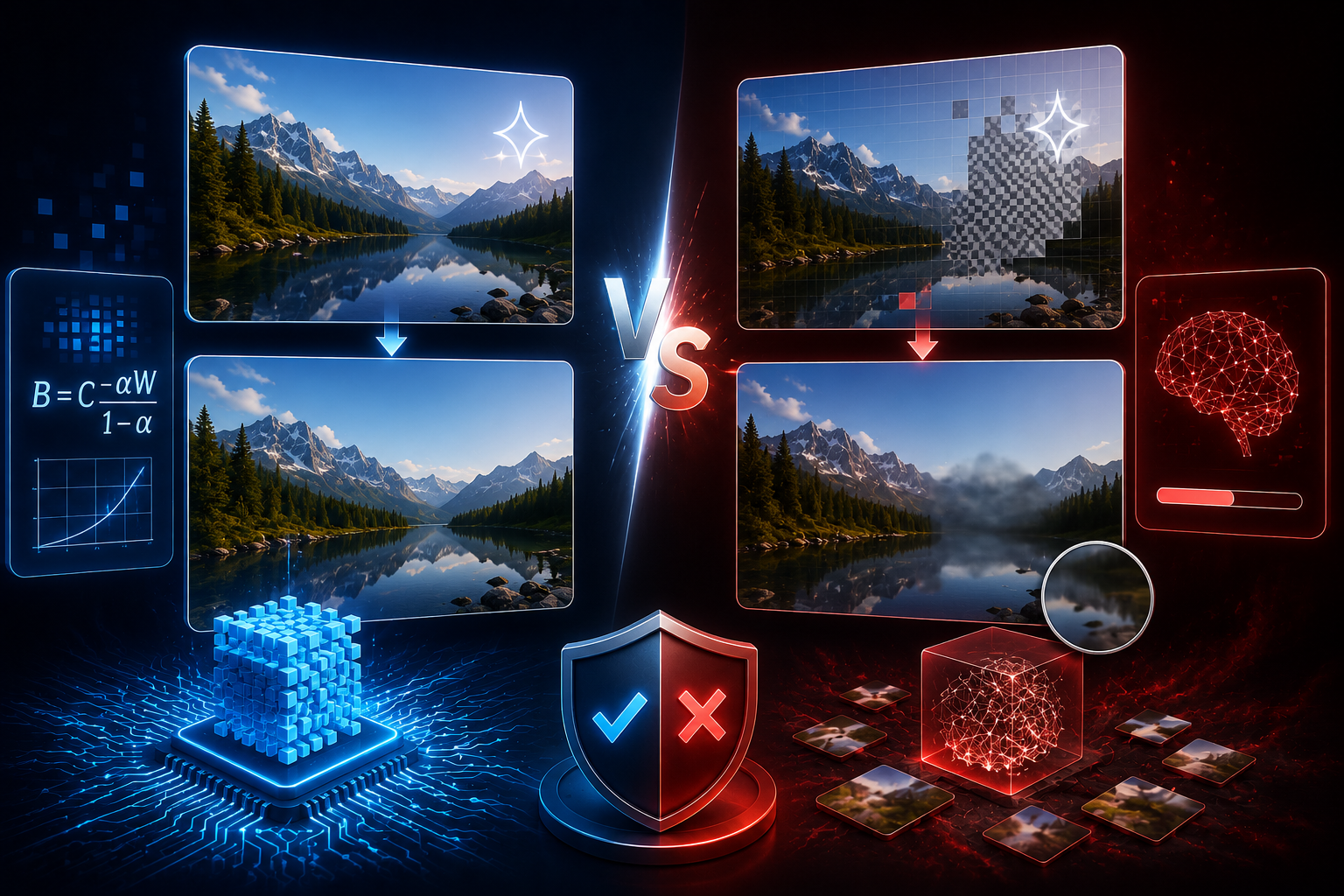
GeminiErase vs AI inpainting watermark removal is a comparison between deterministic reconstruction and generative guessing. AI inpainting deletes the watermark area and predicts replacement pixels. GeminiErase mathematically reverses the visible Gemini sparkle overlay using reverse alpha blending, which is faster, more private, and more accurate for Gemini images.
If you are comparing watermark removers, the most important question is not “Which tool removes objects?” The better question is “What kind of watermark am I removing?”
The visible Gemini sparkle is not an opaque sticker. It is a semi-transparent overlay. That means it can be solved as a compositing problem, not a creative image-generation problem. GeminiErase is built for that specific case: removing the Gemini sparkle with deterministic math, not replacing pixels with an AI guess.
The Two Schools of Watermark Removal
There are two main approaches to watermark removal: AI inpainting and mathematical reversal. AI inpainting treats the watermark as an object to delete and fill. Mathematical reversal treats the watermark as a transparent overlay and reconstructs the original background pixel underneath.
This difference decides quality, privacy, consistency, and speed.
Method 1: AI inpainting as generative guessing
AI inpainting removes content by masking an area, deleting it, and generating replacement pixels based on surrounding context. This is the approach behind tools like Adobe Photoshop Generative Fill, Media.io AniEraser, and Vmake AI-style object or watermark removers.
Adobe describes Photoshop Generative Fill as an AI feature that lets users add or remove content from photos using text prompts. It is a general creative editing tool, not a Gemini-specific watermark reversal engine.
Media.io’s AniEraser describes itself as an AI-powered tool for removing unwanted watermarks and objects from photos and videos. Vmake’s watermark remover describes an upload-based workflow for removing watermarks, logos, text, and objects from videos and images.
That flexibility is useful for opaque logos, stickers, unwanted objects, and irregular marks. It is not ideal for the Gemini sparkle because the sparkle is not simply hiding the image. It is blended into the image.
Method 2: Mathematical reversal as deterministic reconstruction
GeminiErase uses reverse alpha blending. It does not ask an AI model to imagine what belongs behind the sparkle. It reverses the same alpha compositing logic used to place the visible watermark.
The core inverse formula is:
B = (C - (α × W)) / (1 - α)
In that formula, B is the recovered background pixel, C is the visible composited pixel, α is the watermark transparency, and W is the watermark pixel value. GeminiErase uses this equation to recover the original background behind the visible Gemini sparkle.
That is why math watermark removal vs AI matters. If the watermark is a known semi-transparent overlay, deterministic reconstruction is the more precise method.
Why the method matters more than the brand name
Most watermark remover comparisons focus on UI, price, or speed. Those matter, but they are secondary. The method determines the result.
A tool can look polished and still use a poor method for the job. A generic AI object remover may produce a visually acceptable result on one image, then blur product edges or warp a background line on the next.
GeminiErase is narrower. It is purpose-built for Gemini’s visible four-pointed star watermark, including the 48 by 48 and 96 by 96 pixel watermark blocks detected through Normalised Cross-Correlation pyramid scanning.
That narrowness is the advantage. A tool designed for one watermark profile can be more accurate than a general tool guessing every image from scratch.
How AI Inpainting Tools Remove Watermarks and Why They Fail on Gemini Images
AI inpainting tools remove watermarks by masking the marked area and generating new pixels. That works for some object removal tasks, but it often fails on Gemini images because the sparkle is semi-transparent, small, blended, and placed over real image detail. The model guesses pixels that math can reconstruct.
AI inpainting is not “bad” technology. It is simply the wrong first method for this specific watermark.
The deletion-and-fill approach
Inpainting starts by selecting the watermark area. The system then treats that region as missing content and fills it using neighboring pixels, learned patterns, or prompt guidance.
For opaque marks, this can be reasonable. If a solid logo fully covers the background, no tool can know the original pixels. Guessing becomes necessary.
The Gemini sparkle is different. It usually does not fully hide the background. It blends with it. That means useful pixel information remains inside the visible image. A mathematical method can use that information directly.
When AI inpainting treats the sparkle area as missing, it throws away information that still exists.
Why guessing creates artifacts, blurriness, and warped lines
Inpainting artifacts are often subtle. You may not notice them at full size, but they appear when the image is used in a product page, ad crop, or high-resolution mockup.
Common failures include:
Soft blur around the former watermark area.
Repeated texture that looks cloned.
Warped straight lines in UI mockups or product photos.
Smudged gradients on clean backgrounds.
Incorrect details on faces, packaging, fabric, or architecture.
Slight color mismatches that become visible after compression.
These failures are hard to standardize across batches. One image may pass QA. Another may fail because the inpainting model guessed a texture incorrectly.
That is why watermark remover accuracy comparison should focus on the watermark type. A semi-transparent overlay should be reversed, not hallucinated.
Why this is especially bad on Gemini’s semi-transparent sparkle
The Gemini sparkle is not a large opaque watermark. It is a visible transparent mark designed to signal Google AI generation while still leaving the image visible underneath.
Google’s Nano Banana Pro announcement says Google maintains the visible Gemini sparkle on images generated by Free and Google AI Pro tier users, while removing the visible watermark for Google AI Ultra subscribers and Google AI Studio developer tool outputs.
That visible sparkle sits above the image. Because it is blended, the background information is still mathematically present inside the composited pixels. Reverse alpha blending can recover it when the watermark profile is known.
AI inpainting ignores that structure. It sees a mark and tries to paint over it. That is why it can blur details that reverse alpha blending can preserve.
Named tools: Adobe Generative Fill, Media.io, and Vmake AI
Adobe Generative Fill is powerful for broad creative editing, content expansion, and object removal, but it is not positioned as a Gemini-specific alpha reversal tool. Adobe describes it as a way to add or remove content using AI prompts.
Media.io’s AniEraser is described as an AI-powered watermark and object remover for photos and videos, with broader object-removal positioning. Vmake AI describes an upload workflow for removing watermarks, logos, and text from videos and images.
These tools can be useful for non-Gemini watermarks. The issue is not that they cannot remove marks visually. The issue is that their generic approach is unnecessary for the Gemini sparkle, where the overlay can be reversed more directly.
Server upload is another concern. If a tool requires upload, your unreleased campaign assets, client visuals, product concepts, or internal designs may leave your browser. GeminiErase processes locally with zero uploads, using JavaScript Web Workers and the Canvas API.
How GeminiErase Uses Reverse Alpha Blending
GeminiErase uses reverse alpha blending to remove the Gemini sparkle by reversing the pixel compositing equation. It detects the sparkle, reads the affected pixels, applies the inverse formula, and reconstructs the background mathematically. The same input gives the same output, which is why it is predictable for professional workflows.
This is exact science for a specific overlay profile, not general image imagination.
The alpha compositing formula
Alpha compositing explains how a semi-transparent foreground pixel appears over a background pixel.
The standard formula is:
C = (α × W) + ((1 - α) × B)
C is the composited pixel you see in the final image. W is the watermark pixel. B is the original background pixel. α is the transparency level.
If you know C, W, and α, you can solve for B. That is the key.
The visible Gemini sparkle is not just a random defect. It is an overlay. GeminiErase treats it as one.
The inverse formula
GeminiErase rearranges the alpha compositing formula to recover the background:
B = (C - (α × W)) / (1 - α)
This is the reverse alpha blending method. It reconstructs the background pixel instead of inventing one. GeminiErase uses this deterministic formula to produce 99.9 percent pixel-accurate results for the Gemini sparkle profile, according to the tool context provided.
This matters most over product photos, interface mockups, clean gradients, sky backgrounds, architecture lines, and branded visuals. Those images expose inpainting artifacts quickly.
Why deterministic means same input, same output
A deterministic process produces the same result every time when the input is the same. That is important for agencies, designers, and developers.
AI inpainting can vary based on model version, prompt, selection edge, seed, server configuration, or tool updates. That variability is not ideal when you need repeatable production quality.
GeminiErase’s math-based process is more stable. Once the watermark is detected and the alpha profile is applied, the reconstruction follows the same equation.
This consistency is why GeminiErase is better suited to high-volume Gemini image cleanup than tools that generate replacement pixels.
Float32Array precision and Canvas API rounding
Browser image processing can suffer from rounding issues if pixel math is handled too casually. Normal Canvas API operations often work with integer pixel values, which can introduce small errors.
GeminiErase uses Float32Array processing to reduce rounding error during reverse alpha blending. This helps preserve smoother gradients and more precise color reconstruction around the former watermark area.
That detail is not cosmetic. On a clean sky, product background, or soft shadow, small rounding errors can create visible banding or halo effects.
Local processing and privacy
GeminiErase runs entirely in the browser. There are no server uploads, no signup, and no account requirement. It supports PNG, JPG, and WebP files up to 15MB and processes images directly using JavaScript Canvas API and Web Workers.
That privacy model is important when images include unreleased products, client ads, app mockups, campaign concepts, or confidential brand work.
A fast tool that requires upload may be acceptable for low-risk public images. It is not ideal for professional asset cleanup.
For a detailed technical explanation, read reverse alpha blending for the Gemini watermark.
Side-by-Side Quality Comparison
GeminiErase beats AI inpainting on Gemini sparkle removal because the watermark is a semi-transparent composited overlay. On flat backgrounds, complex textures, and clean product visuals, reverse alpha blending reconstructs known pixel values while AI inpainting guesses. The only meaningful limitation is heavy compression before cleanup.
This is not a claim that GeminiErase removes every watermark better. It removes this watermark better.
Over flat color backgrounds: GeminiErase wins
Flat colors expose bad cleanup immediately. If the former watermark area becomes slightly blurred, darker, lighter, or uneven, the viewer notices.
AI inpainting often struggles with flat backgrounds because it tries to synthesize pixels where no texture should exist. It may introduce faint smudges, patches, or softness.
GeminiErase is stronger here because it reconstructs the original color mathematically. If the sparkle was applied over a flat background, the inverse formula can recover that background without inventing texture.
This is especially useful for product images, app mockups, ads, pitch decks, and landing page graphics.
Over complex textures: GeminiErase still wins for Gemini sparkle
Complex textures might seem like a case where AI would help. But when the watermark is semi-transparent, the original texture remains partly encoded in the composited pixels.
Reverse alpha blending uses the real underlying image information. AI inpainting guesses based on nearby patterns.
On mountain landscapes, fabric, foliage, packaging, marble, glass, and UI screenshots, this difference matters. Inpainting may create a plausible texture, but plausible is not identical. Reverse alpha blending aims to recover the actual background values.
That is the difference between “looks okay” and “matches the original image.”
Over lines, UI elements, and typography
Straight lines are where AI guessing often fails. A watermark over a button edge, interface border, icon, chart, or product label can cause inpainting tools to bend or soften the structure.
GeminiErase does not need to infer the line direction from surrounding pixels. It applies the inverse blend to the affected pixels.
This is why GeminiErase is particularly useful for UI and UX designers using Gemini-generated mockups or design assets. The cleanup preserves geometry better than a model that repaints the selected area.
Over heavily JPEG-compressed images: GeminiErase has a slight limitation
JPEG compression can distort watermark pixels before cleanup. If the image was heavily compressed after the sparkle was applied, the visible pixels no longer perfectly match the original compositing equation.
GeminiErase can still produce a strong result, but minor artifacts may remain. PNG and high-quality WebP give the best results because they preserve pixel information more accurately.
Even here, inpainting is not automatically better. It may hide compression artifacts by blurring or inventing detail, but that can damage the image. For professional work, start with the cleanest export available.
Speed and Privacy Comparison Table
GeminiErase is faster and more private for Gemini sparkle removal because it runs locally in the browser and uses deterministic math. AI inpainting tools are broader, but they often require uploads, model inference time, queueing, account limits, or paid credits.
Feature | GeminiErase | AI inpainting tools |
|---|---|---|
Core method | Reverse alpha blending | Generative fill or object removal |
Best use case | Visible Gemini sparkle | Opaque logos, objects, irregular marks |
Pixel behavior | Reconstructs background values | Guesses replacement pixels |
Consistency | Same input gives same output | Output can vary by model and mask |
Speed | Under 2 milliseconds in browser | Depends on server, model, and queue |
Privacy | Zero uploads | Often upload-based |
Account required | No | Often yes for full export or higher limits |
SynthID impact | Does not remove SynthID | Depends on tool and edit severity |
File support | PNG, JPG, WebP up to 15MB | Varies by service |
Best for Gemini images | Yes | Only when GeminiErase does not apply |
The comparison is not about replacing Photoshop or every AI editing tool. It is about using the right tool for the right watermark.
For Gemini sparkle cleanup, remove your Gemini watermark with GeminiErase. It is free, instant, browser-based, and built for the specific visible Gemini watermark rather than generic AI guessing.
GeminiErase vs Photoshop Watermark Cleanup
GeminiErase vs Photoshop watermark cleanup comes down to purpose. Photoshop is a full creative editing suite. GeminiErase is a specialized mathematical cleaner for the visible Gemini sparkle. For general retouching, Photoshop is broader. For Gemini sparkle removal, GeminiErase is faster and more precise.
Photoshop is excellent when you need manual artistic control. If you are removing a complex object, replacing a background, extending a scene, or retouching a product photo, Photoshop can be the right tool.
But the Gemini sparkle is not a normal retouching problem. It is a known overlay.
Photoshop Generative Fill is flexible, not deterministic
Photoshop Generative Fill can remove content by generating replacement pixels. Adobe positions it as a creative AI feature for filling, expanding, adding, and removing content.
That flexibility is useful for creative edits. But flexibility also means the tool is generating a new visual result. It is not solving the original alpha blend equation.
For one-off creative work, that may be acceptable. For precise Gemini watermark cleanup, deterministic reconstruction is cleaner.
Manual clone and healing tools are slow
Photoshop’s clone stamp, healing brush, patch tool, and content-aware fill can work on individual images. They are not efficient for large Gemini batches.
A designer may spend one to five minutes per image depending on background complexity. That adds up quickly.
GeminiErase processes the visible sparkle in under 2 milliseconds because it is not running a generative model or manual retouching workflow.
Photoshop still has a place
Use Photoshop after GeminiErase if you need final creative polishing. That is a better workflow than asking Photoshop to do the sparkle cleanup from scratch.
A practical production sequence is:
Generate the Gemini image.
Save the original.
Remove the visible sparkle with GeminiErase.
Open the cleaned file in Photoshop for creative edits if needed.
Export final campaign versions.
Add disclosure where required.
This keeps the watermark cleanup precise while preserving Photoshop for what it does best: creative finishing.
When Would You Ever Choose Inpainting Over GeminiErase?
Choose inpainting over GeminiErase only when the watermark is not the visible Gemini sparkle. Inpainting can be useful for opaque logos, stock photo marks, tiled text, stickers, subtitles, or objects where no recoverable pixel information remains. GeminiErase is purpose-built for Gemini’s semi-transparent sparkle alpha profile.
This limitation is important. GeminiErase is not trying to be a universal watermark remover.
Use inpainting for non-Gemini watermarks
If a watermark is opaque, the original pixels behind it are gone. Math cannot recover what the file no longer contains.
In those cases, generative inpainting may be the only practical option. Examples include:
Opaque stock photo logos.
Large tiled preview text.
Creator signatures over artwork.
Video subtitles burned into frames.
Random stickers, icons, or pasted objects.
Platform logos that fully cover background detail.
Even then, make sure you have the right to remove the mark. Do not remove copyright notices, creator signatures, or stock watermarks from content you do not own or license.
Use GeminiErase for the Gemini sparkle
GeminiErase is purpose-built for the visible Gemini sparkle alpha profile. It detects 48 by 48 and 96 by 96 pixel watermark blocks, applies reverse alpha blending, and keeps SynthID intact.
That specificity is exactly why it works. It does not need to solve every watermark. It solves the one Gemini creators deal with every day.
If you need background, see what is the Gemini watermark and Gemini sparkle watermark.
Do not use watermark removal to mislead viewers
Removing the visible sparkle does not make an AI-generated image non-AI. GeminiErase does not remove SynthID, and disclosure obligations remain unchanged under platform rules, client requirements, and applicable laws.
Google says Nano Banana Pro outputs use SynthID, and the visible sparkle remains on Free and Google AI Pro outputs while professional clean-canvas outputs are available for Google AI Ultra subscribers and AI Studio.
That is the right way to think about cleanup. Clean the visual layout. Do not hide the nature of the content when disclosure is required.
For legal context, read is it legal to remove the Gemini watermark.
Practical Recommendation: Which Tool Should You Use?
Use GeminiErase for Gemini sparkle removal. Use inpainting only for non-Gemini marks or creative edits where the original pixels cannot be mathematically recovered. For professional Gemini images, reverse alpha blending gives cleaner results, faster processing, stronger privacy, and more consistent output than AI guessing.
The decision tree is simple.
Use GeminiErase when:
The image was generated by Gemini.
The visible mark is the four-pointed Gemini sparkle.
You want local processing with no upload.
You need clean product, UI, ad, or campaign images.
You want SynthID to remain intact.
You want deterministic results.
Use AI inpainting when:
The mark is not the Gemini sparkle.
The mark is opaque and fully covers the background.
You need to remove an object, sticker, or unrelated logo.
You accept generated replacement pixels.
You have the rights to edit the image.
Privacy risk is acceptable for the service used.
Use Photoshop when:
You need detailed manual retouching.
You need compositing, color work, typography, or final design polish.
You want human creative control after the sparkle is removed.
You are editing one or two high-value files.
For most Gemini users, the best workflow is not “GeminiErase or Photoshop.” It is GeminiErase first, then Photoshop only if creative finishing is needed.
FAQ
What is the difference between GeminiErase and AI inpainting watermark removal?
GeminiErase uses reverse alpha blending to mathematically reconstruct the background behind the visible Gemini sparkle. AI inpainting removes the marked area and generates replacement pixels. For Gemini images, GeminiErase is more precise because the sparkle is a semi-transparent overlay, not an opaque object that requires guessing.
Why is reverse alpha blending better than inpainting for Gemini watermarks?
Reverse alpha blending is better for Gemini watermarks because the sparkle is blended into the image with transparency. The original background information is still mathematically recoverable. Inpainting ignores that structure and guesses new pixels, which can create blur, warped lines, repeated textures, or subtle artifacts.
Is GeminiErase better than Photoshop Generative Fill?
For the visible Gemini sparkle, yes. GeminiErase is purpose-built for that watermark and uses deterministic math. Photoshop Generative Fill is broader and better for creative object removal or retouching, but it generates replacement pixels. A strong workflow is to clean the sparkle with GeminiErase, then use Photoshop for final creative edits.
Does GeminiErase remove SynthID?
No. GeminiErase does not remove SynthID. It removes only the visible Gemini sparkle watermark. SynthID is Google’s invisible forensic watermark, and GeminiErase intentionally leaves it intact. That means visual cleanup does not remove the underlying AI provenance signal or your disclosure responsibilities.
Does GeminiErase work on non-Gemini watermarks?
No. GeminiErase is purpose-built for the visible Gemini sparkle alpha profile. It is not designed for stock photo logos, Getty watermarks, creator signatures, tiled text, or unrelated opaque marks. For non-Gemini marks, inpainting or manual retouching may be more appropriate, assuming you have the right to edit the content.
Is GeminiErase private?
Yes. GeminiErase processes images locally in your browser using JavaScript Canvas API and Web Workers. It does not upload images to a server, require an account, or store your files. That privacy model is useful for client campaigns, unreleased products, design mockups, and confidential creative work.
Can I use GeminiErase for commercial Gemini images?
You can use GeminiErase for commercial Gemini image cleanup if your use follows Google’s terms, copyright rules, client agreements, platform policies, and applicable disclosure requirements. Removing the visible sparkle improves presentation quality, but it does not remove SynthID or make AI-generated content exempt from disclosure.
Get a clean Gemini image without AI guessing, server uploads, or manual retouching. Remove the visible Gemini sparkle with GeminiErase, keep SynthID intact, and use Photoshop or inpainting only when the mark is not the Gemini sparkle.